YOUR JOB SEARCH
COMMAND CENTER
A job scraping, matching, and tracking tool. Discover roles from job platforms, match them to your resume using AI, and track applications.
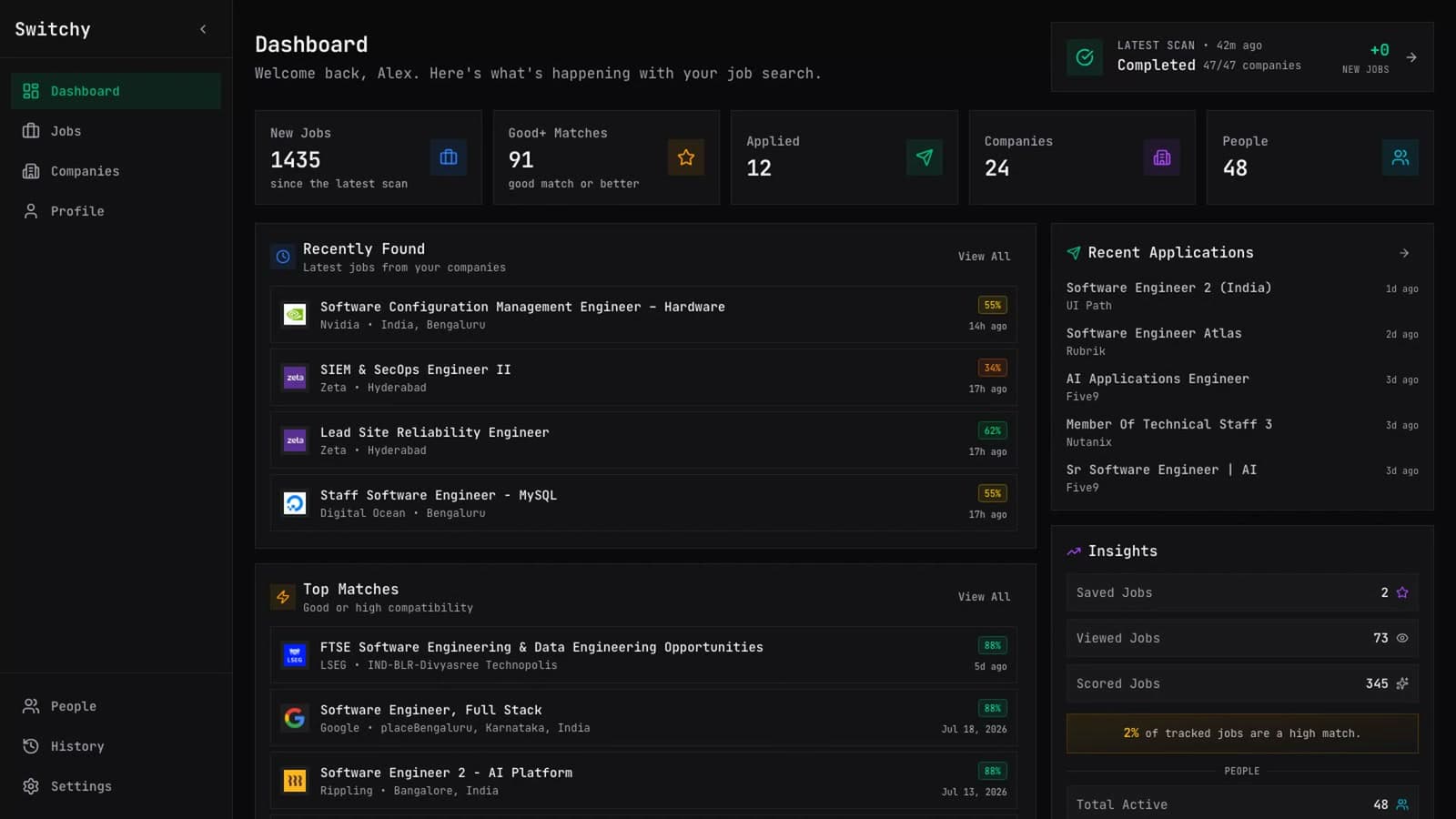
EVERYTHING TO LAND YOUR DREAM JOB
A complete toolkit for the modern job seeker. Automate the tedious parts, focus on what matters—getting hired.
Smart Scraping
Auto-discover jobs from Greenhouse, Lever, and Ashby job boards with intelligent deduplication.
AI Match Scores
Resume-to-job matching with detailed reasoning, matched skills, and personalized recommendations.
Cover Letters & Referrals
AI-generated cover letters and referral messages tailored to each job and your profile.
Multi-Provider AI
Support for Anthropic, OpenAI, Gemini, Cerebras, Groq, OpenRouter, and NVIDIA NIM.
Automated Scheduling
Cron-based scraping that runs automatically—set it and forget it.
Private & Secure
Your data stays on your machine. SQLite database with local file storage—no cloud required.
HOW IT WORKS
Four simple steps to transform your job search from chaos to clarity.
Add Your Companies
Track companies you're interested in. Add their job board URLs and let Switchy handle the rest.
Upload Your Resume
Upload your resume and let AI parse your skills, experience, and education automatically.
Let AI Do the Work
Switchy scrapes jobs, matches them to your profile, and calculates match scores automatically.
Apply with Confidence
Review top matches, generate personalized cover letters, and track your applications.
SUPPORTED AI PROVIDERS
Bring your own API key. Your data never leaves your machine.
 OpenAI
 Anthropic
 Gemini
 Cerebras
 OpenRouter
 Groq
Groq NVIDIA (NIM)
SUPPORTED JOB LISTING PLATFORMS
Switchy scrapes listings from the top ATS and recruiting platforms.
 Greenhouse
 Lever
Lever Ashby
Ashby Workday
 Eightfold
INSTALL SWITCHY
Start locally with one command, or build directly from the source.
ONE COMMAND. LOCAL APP.
Requires Node.js 24 with npm.
Run this command to download the correct runtime and start Switchy on your device.
npx @chandresh726/switchy@latest start